

Condensed View
- Reduces spacing between bookings for a more compact display
- Allows viewing more bookings on screen simultaneously
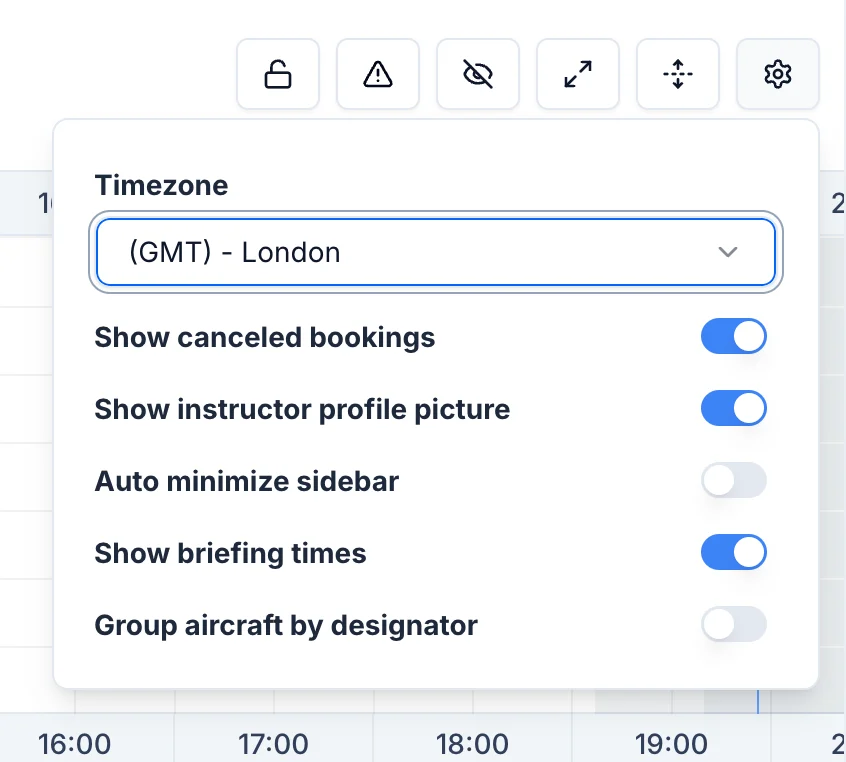
Show Cancelled Bookings
- Toggle visibility of cancelled bookings
- Cancelled bookings appear with a red stripes background color
- Useful for tracking cancellation patterns
Show Instructor Profile Pictures
- Displays small profile photos on booking blocks
- Makes it easier to identify instructors at a glance
Auto-minimize Sidebar
- Automatically collapses the sidebar when not in use
- Provides more horizontal space for the timetable
Group aircraft by designator
By default, aircraft are sorted alphabetically by aircraft registration. If grouped by aircraft designator, the aircraft will be ordered alphabetically by aircraft designator (C172, DA42, etc) and also grouped together.Accessing Settings
- Click the settings icon in the timetable toolbar
- Adjust personal view preferences
- Settings are saved automatically